TUBES TAG CONVERSION STEPS
Step 1:
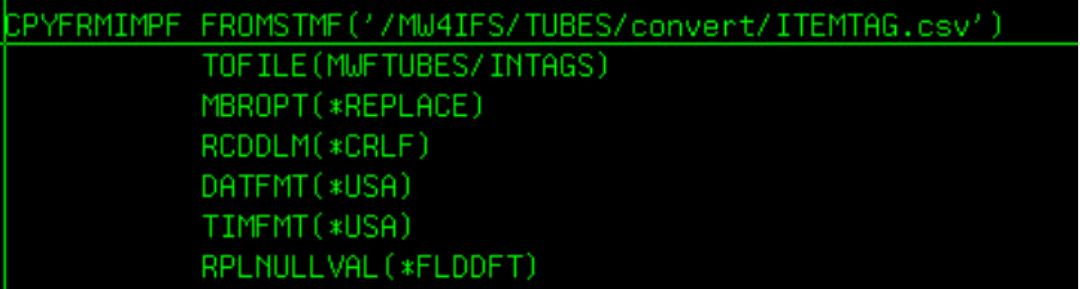
Copy itemtag.csv to intags file. The RPG program CVTAGS uses intags file to load tags into ITEMTAG and ITEMONHD files.
CALL MODTUBES/TAGSINCL will execute the CPYFROMIMPF command to copy the csv file to Intags file.
Step 2:
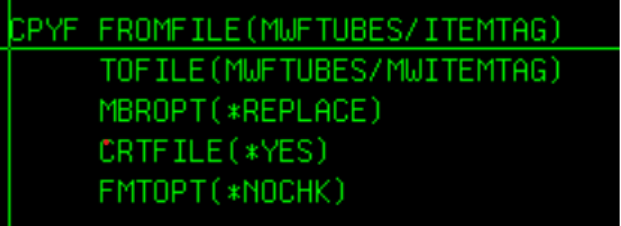
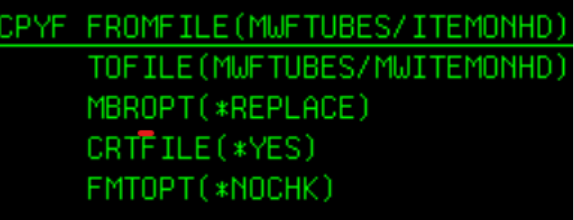
Backup ITEMTAG and ITEMONHD files. CALL MODTUBES/CVTAGSCL will delete the old backup files and copy the ITEMTAG and ITEMONHD file to the backup files and Call CVTAGS conversion program
Delete old backup files


Copy ITEMTAG and ITEMONHD to backup files
Step 3: CALL CVTAGS. CALL CVTAGSCL will have already executed CVTAGS rpg. I run CVTAGS manually in debug because I’m checking field values, open files, parameters passed to programs etc.... to make sure the program is running as expected.
CVTAGS now calls ##TAGAVG program to recalculate the average cost of an item.


Jeff Stotz
PARAGON CONSULTING SERVICES
(717)413-0277
JStotz@Paragon-csi.com

Was this article helpful?
That’s Great!
Thank you for your feedback
Sorry! We couldn't be helpful
Thank you for your feedback
Feedback sent
We appreciate your effort and will try to fix the article