If you have an error message and you wan to set an auto reply so as to not hold up crucial applications (like EOD/EOM), then you can use the Add Reply List Entry (ADDRPYLE) to set up the auto reply.
In this case we had an error with a Tape back up and wanted to set the auto message to cancel. We have a secondary method for doing backups so this is not the ideal example.
First find the error in question. In this example, the is was the error.

Now because we want to auto answer this message for theTAPBACKUP only, we want to find the position of the verbiage TAPBACKUP so we can use it in this instance only.
We use the Work with Message Description (WRKMSGF) to find the message.
How can I determine the Message Data Start Position on the ADDRPYLE Command?
This information is in the message description. For example, to add message CPA4002 to your System Reply List and to have the message be responded to automatically for one particular printer only, use the name of the printer for the Comparison Data field in the Add Reply List Entry (ADDRPYLE) command. The printer name must be in capital letters.
To find the Message Data Start Position or Compare Start, do a DSPMSGD on the CPA4002 message. You can see from the message text that the printer name is at variable &3. Take Option 2 from the menu to display the field data. On this screen you can see that the variable at &1 is a character field with a length of 10. Variable &2 is also a character field with a length of 10. The compare start for variable &1 would be 1. Add the 10 character field of variable &1 to this compare start and you see that the compare start for variable &2 would be 11. Then you would add the 10 character field of variable &2 to the 11 and find that the compare start for variable &3, the printer name, would be 21. The Message Data Start Position on the ADDRPYLE command would be 21.
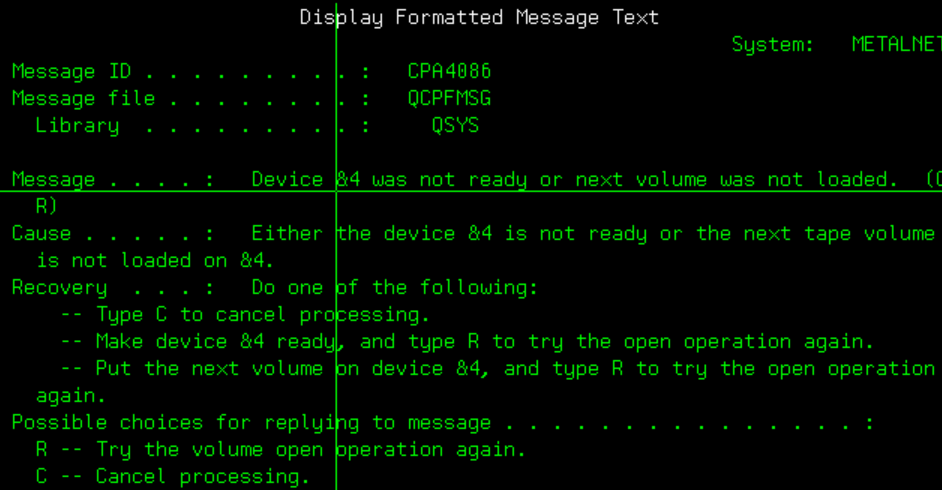
&1 starts in position 1
&2 starts in position 11 ( 1 + 10)
&3 starts in position 21 (11 + 10)
&4 starts in position 31 (21 + 10)
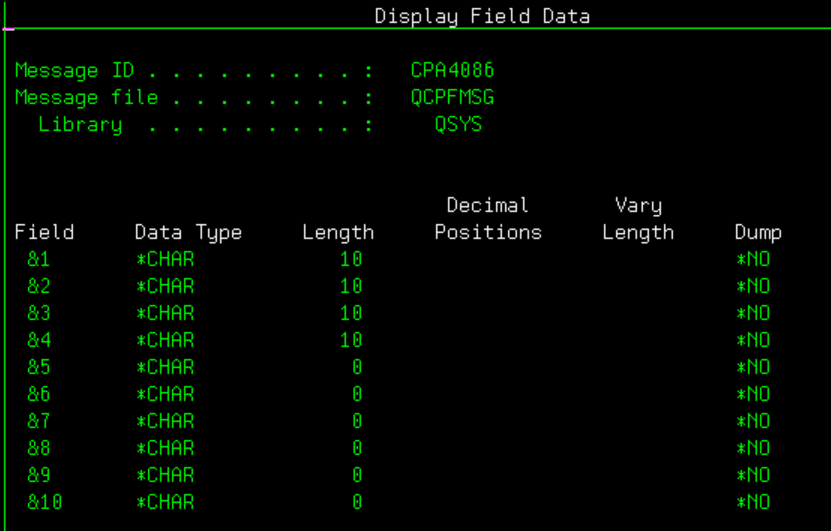
You could probably let the start position at *NONE and it will just look for the string TAPBACKUP in the message.
With this information I could then set the auto reply as follows: Where the message ID is used from the job log, the comparison data is used so the message is only auto answered for TAPBACKUP process only when found in position 31 (noted above) of the message the the reply is selected to auto reply to the messge.
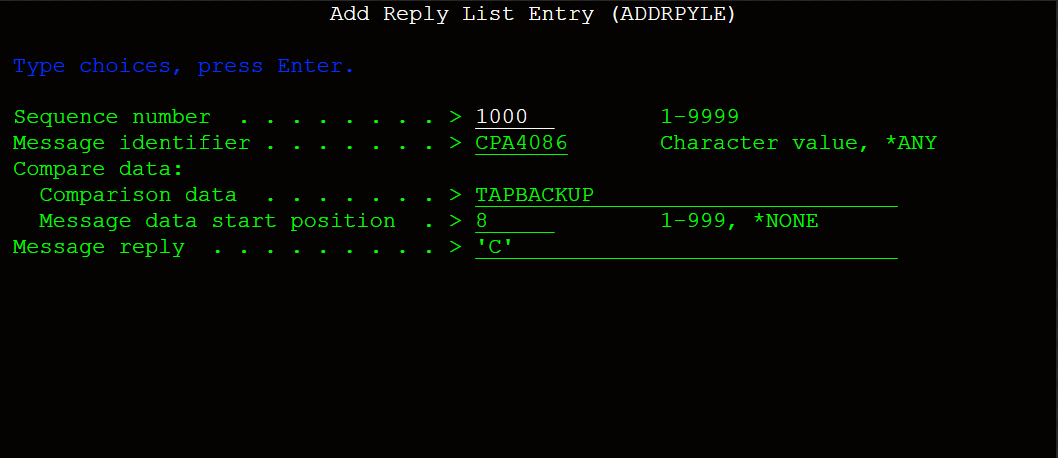
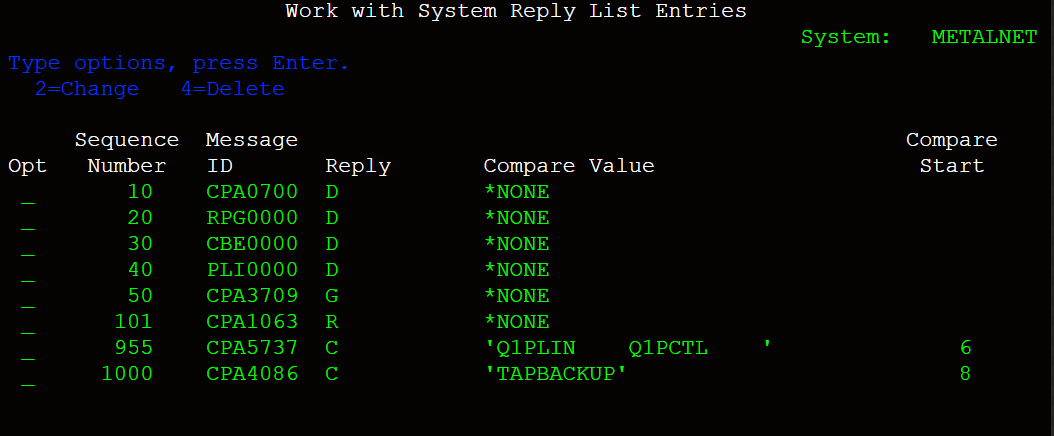
Sequence is the priority order of the message. To find what is set up, you can use the Work with Reply List Entries (WRKRPYLE).
Was this article helpful?
That’s Great!
Thank you for your feedback
Sorry! We couldn't be helpful
Thank you for your feedback
Feedback sent
We appreciate your effort and will try to fix the article